

How to Purchase a Product - Walkthrough
Published by The Systems Depot on Jan 23rd 2026
Here at The System Depot, we want to deliver your parts to you as fast as we can with no delays. In order for us to help do that, we need to do everything right the first time. That means making sure personal information is spelled correctly, all products are in your cart, and making sure credit card information is currently up to date. Today, we will walk you through the whole process of purchasing a product/products that way everyone is on the same page.
First thing first, you will need to have a login and be logged in to do any purchasing. Without being logged in you will not see any pricings (See Image below IMG1) located on the home page. Once logged in, continue to a product of your choosing. Be sure to review all that you need about the product before adding the product to cart. (See Image Below) IMG2

IMG1 ^^
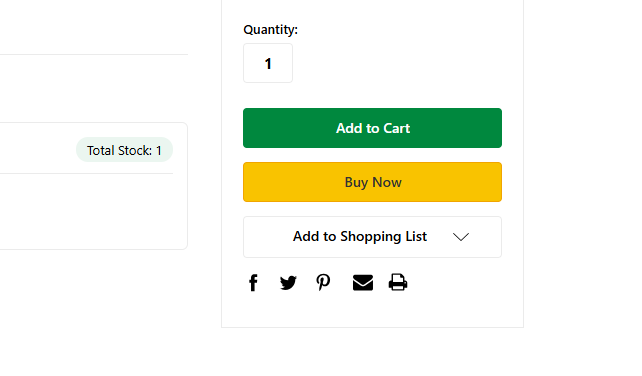
IMG2 ^^
By clicking the "Add to Cart" button, the product will now be added into the cart. A screen will pop up giving you an option to wheather to "proceed to checkout," "continue shopping," or "view or edit your cart." (See image below IMG3) Now if you didnt click on the "add to cart" but clicked on "buy now" this will take you straight to the checkout page where you will verify your shipping address and payment type to finalize your order.
Back to the product after clicking on the "add to cart," if you are done you will click the button "proceed to checkout" and it will take you to the checkout page where you will verify your shipping address and payment type to finalize your order.
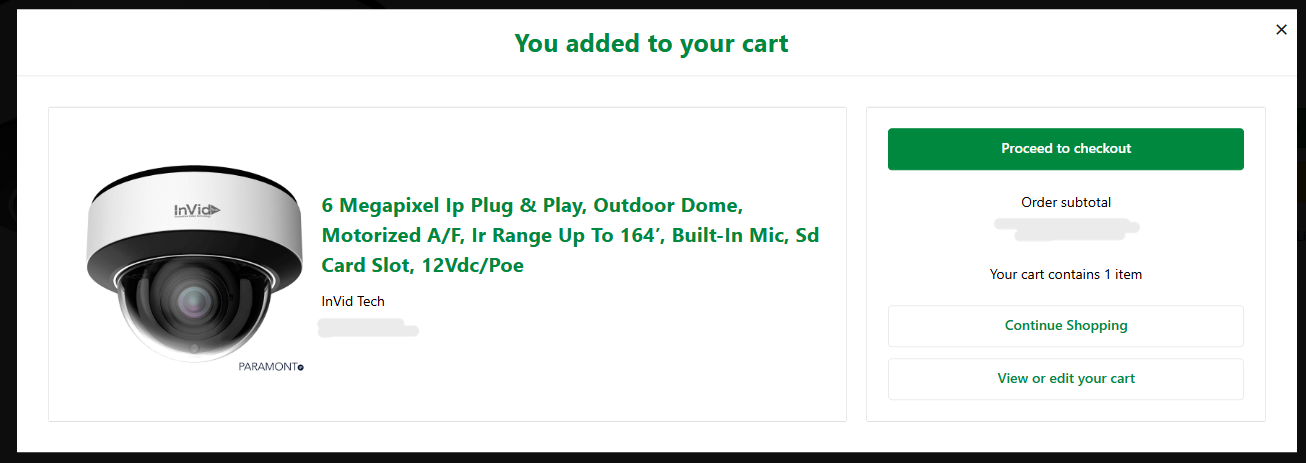
IMG3^^
By clicking on the "continue shopping" button, this will give you the oppurtunity to add more items into your cart. Once clicked, it will take you back to the products page where you were before.
Last but not least, the "view or edit your cart" button will take you to the carts page where it will show you what you have in your cart. (see image below IMG4) If you have multiple products, this page will show it all. There are shipping options where you can verify your address
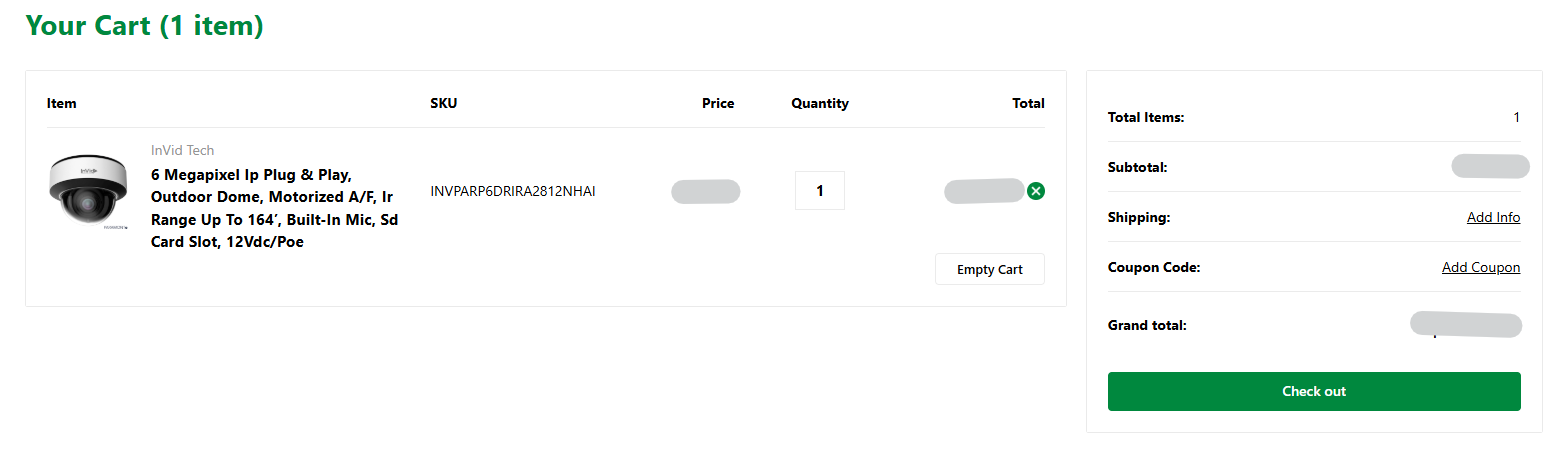
IMG4^^
Once you are done and have viewed your cart, to finalize your order click the "Check Out" button. This will take you to a screen to verfiy all your information that you have inputted previously. There will be 4 column Customer, Shipping, Billing, and Secure Payment. Review those information and proceed accordingly. After reviewing, secure your payment and this will finalize your order.
Following these steps accordingly will help us get your order/s ready and allows us to ship your order faster to you with no delays. If you have any problem on making your order, please contact us at 1-877-254-2172 or you can email us at CustomerCare@sdepot.com